# Spotfire

This guide will walk you through how to set up a Spotfire connector in Datalogz.&#x20;

{% hint style="info" %}
Datalogz' Spotfire connector directly extracts metadata from your Oracle database. Support for other database types isn't available at this time.
{% endhint %}

### Prerequisites:

1. Hostname, the address at which we access Spotfire.
2. A username and password that can connect to the Spotfire server.
3. A service name
4. (Optional) The Oracle protocol
5. Determine your connection method: via hostname and SID or DNS

### Step 1: Connect to Spotfire in Datalogz' Control Tower

1. Log in to your Datalogz account.
2. Go to **Settings** > **Connector**.
3. Click **New Connector** > **Spotfire**.
4. Enter the connection details.

* For the hostname/SID connection:

<figure><img src="https://1435452537-files.gitbook.io/~/files/v0/b/gitbook-x-prod.appspot.com/o/spaces%2FI51V8nP3ZjMKt2bCO9HR%2Fuploads%2FMK9j3lq6dm6tTU5bf7dA%2FScreenshot%202025-05-22%20at%2021.02.34.png?alt=media&#x26;token=80a868cd-cd9e-4bd1-b7ae-0dc704b720bb" alt="" width="375"><figcaption></figcaption></figure>

<table><thead><tr><th width="182.45703125">Parameter</th><th>Description</th></tr></thead><tbody><tr><td>Username</td><td>The user account credential for logging into the external database (not your Spotfire user). This user must have permissions to access the data Spotfire needs.</td></tr><tr><td>Password</td><td>The secret string associated with the database username, used for authenticating with the external database.</td></tr><tr><td>Hostname</td><td>The network address (domain name or IP address) of the database server where your data resides.</td></tr><tr><td>Protocol</td><td>The specific communication method or standard used by Spotfire to interact with the database server. While often implicit with the chosen connector, it ensures the correct "language" is spoken.</td></tr><tr><td>Service Name / SID</td><td><p>Specific to Oracle databases.</p><ul><li>Service Name: A logical name identifying an Oracle database instance or group of instances (preferred, modern).</li><li>SID (System Identifier): A unique name for a specific Oracle database instance (older, still used).</li></ul></td></tr><tr><td>Is SSL Connection?</td><td>A boolean flag indicating whether the communication between Spotfire and the database should be encrypted using SSL/TLS.</td></tr></tbody></table>

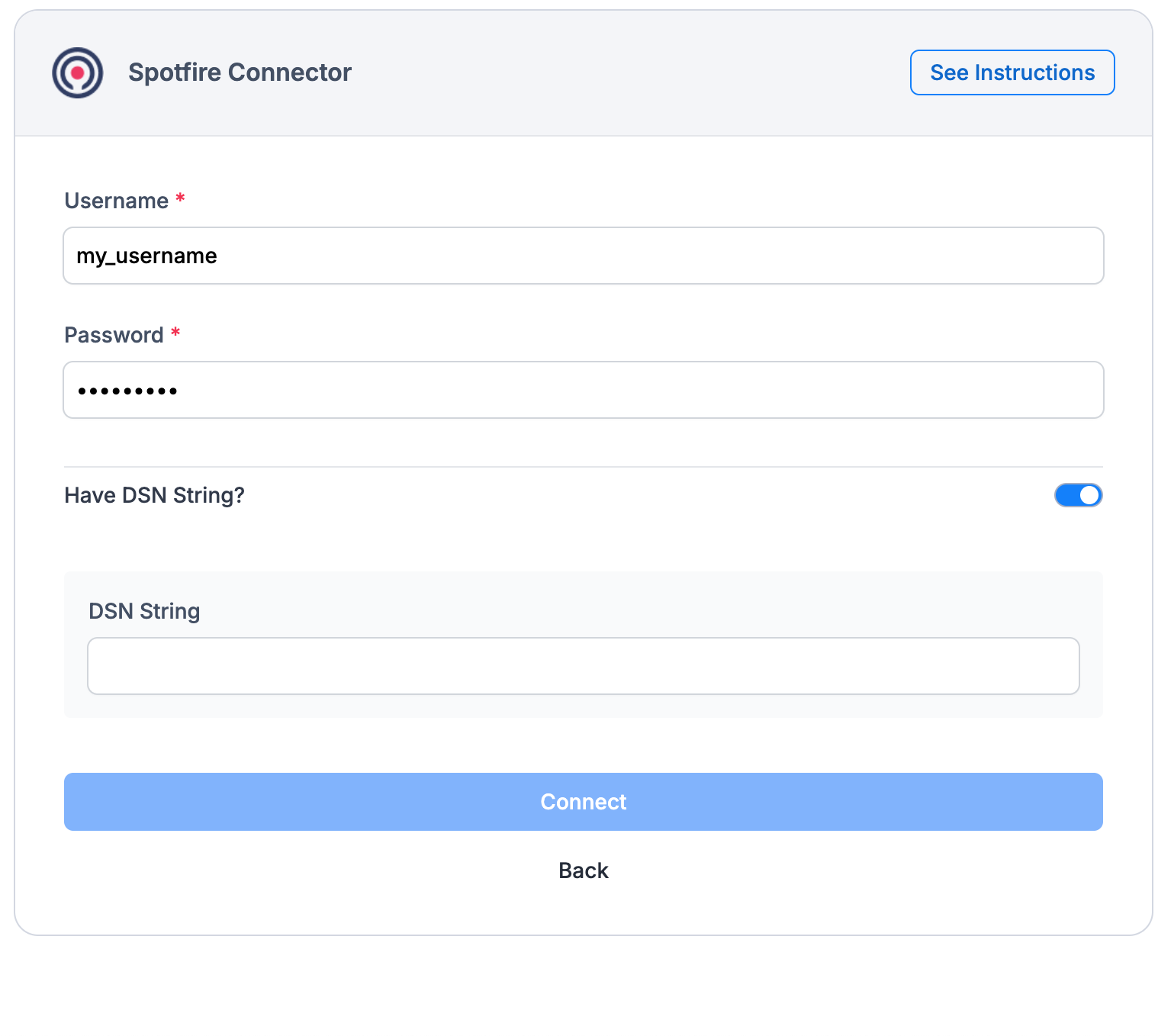
* For the DSN connection:

<figure><img src="https://1435452537-files.gitbook.io/~/files/v0/b/gitbook-x-prod.appspot.com/o/spaces%2FI51V8nP3ZjMKt2bCO9HR%2Fuploads%2FNp7qHqN7Wcnmx1vK5vOI%2FScreenshot%202025-05-22%20at%2021.02.50.png?alt=media&#x26;token=9c35646b-4f57-4432-ba62-631ddd57fac5" alt="" width="375"><figcaption></figcaption></figure>

<table><thead><tr><th width="189.359375">Parameter</th><th>Description</th></tr></thead><tbody><tr><td>Username</td><td>The user account credential for logging into the external database (not your Spotfire user). This user must have permissions to access the data Spotfire needs.</td></tr><tr><td>Password</td><td>The secret string associated with the database username, used for authenticating with the external database.</td></tr><tr><td>Have DSN string?</td><td>Indicates whether Spotfire should use a pre-configured Data Source Name (DSN) on the system to connect to the database. A DSN is a stored configuration that contains all the underlying connection details (hostname, database name, driver, etc.).</td></tr></tbody></table>

Click **Connect**.

### Step 2: Choose Connector Components

1. Select the asset information you want to ingest in Datalogz' Control Tower.
2. Set a synchronization schedule.
3. Click **Next**.
4. Review the setup and click **Confirm and Finish**.

Once you confirm and finish the connector setup, it will run automatically.&#x20;

For more questions, please contact Datalogz support <support@datalogz.io>